Dont Forget To Share With Friends!
|
LEARN FL STUDIO, HACKING, FREE BROWSING & LOTS MORE HERE!
Invite & Share Your Experience With Others
BASIC INTRODUCTION ON FL STUDIO
For
|
 Back Back
BASIC INTRODUCTION ON FL STUDIO
Share with friends
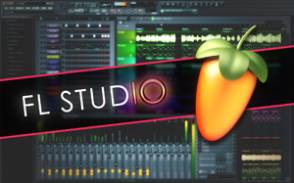
FL Studio is a pattern based sequencer. This is somewhat different than the more "normal" sequencers in that they are more arranger-centric. While being pattern based is different, it is also very easy to understand and can lead to highly creative results.
The basic interface and workflow relies upon 3 main areas that work together. The Pattern, The Playlist and The Mixer
Pattern

The pattern is where you will generally create the various musicl phrases or "loops". These loops are created by placing a new channel in the pattern and assigning it to play back something. These can be drum beats, samples or instrumentation.
A pattern channel can be any type of sound source supported by FL Studio whether it's a VST instrument, a built in generator or a WAV/OGG/MP3 sample. The Pattern supports note entry in either the step sequencer or the piano roll (FL Studio Producer and XXL only).
Each channel can be further augmented by assigning it to a Mixer channel to be further processed.
Mixer

The mixer represents your typical mixing board interface. Here you will be able to control various sounds from pattern channels that have been routed to mixer channels. The main fader controls the over all volume and there is the ability to add more effects (built-in, VST, DX) to the sounds routed to each individual channel. This makes it use for routing groups of sounds together for processing. For example, you might route sounds of Cellos, Violins and Violas to a single mixer channel and apply reverb to them as a group.
Playlist

This is where it all comes together. The playlist represents a series of patterns and audio clips to be played simultanouesly and in a specific order. This is equivalent to arranging your song. You might have a Pattern with a drum loop play along with a pattern containing a recorded guitar part for example. You can add remove patterns from the timeline as neede to create a fully arranged musical composition.
Conclusion
This is a very basic explanation of FL Studio and how it works. For more specific guidance use the search function to find out more information.
Davmixcool Share | Promote Your Page Too
 |
| |

|


 Home
Home